Reports are always available in the app under the Reports section. Site Managers can also email or print reports from LENA Online.
Access reports in the app
| Click on the Reports icon at the bottom of your mobile screen. | 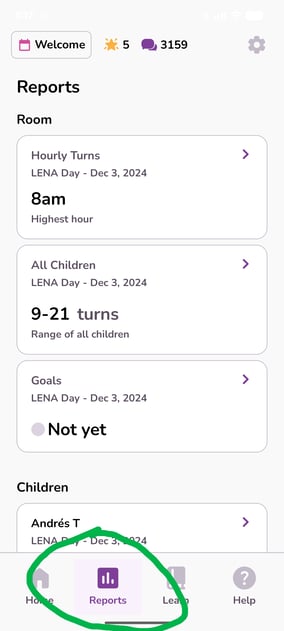 |
Access reports in LENA Online
Request printed reports from your Site Manager.
For Site Managers:
| 1. Log into LENA Online. Select the Group from the main dashboard. | 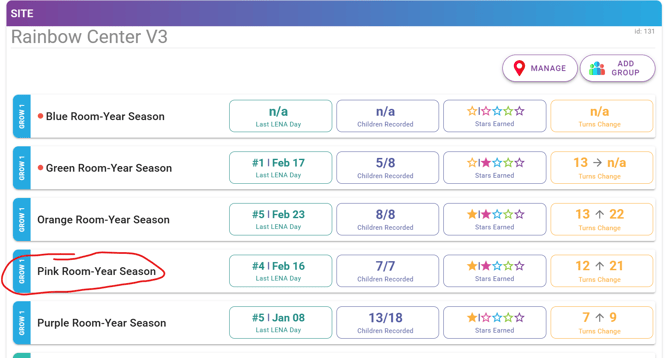 |
| 2. Click "View Reports." A pdf will open in a new tab that can be downloaded and saved for emailing or printed. | 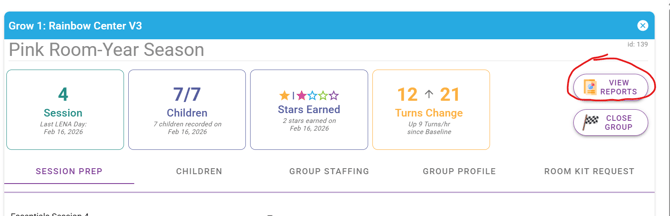 |