
Course Outline
4. Process LENA Devices (4 min)
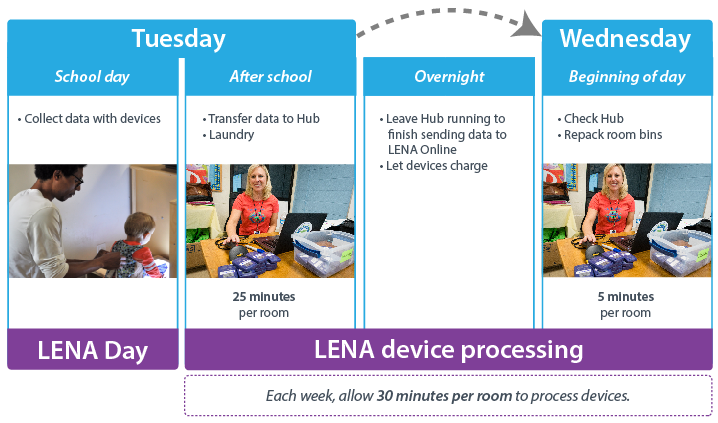
Process devices as soon as possible after the LENA Day, and at least one day before the scheduled coaching session.
Here's a typical workflow:
|
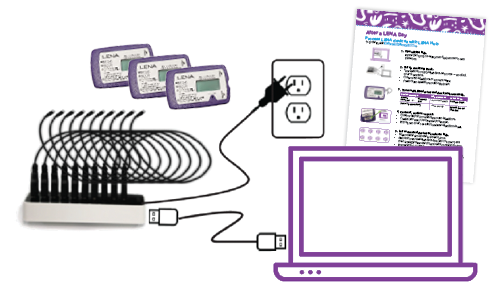
For processing, you will need:
Helpful, but not necessary:
|
|
Follow each step in the presentation below to process your LENA devices.
Helpful tips:
- Follow the steps in order. Shortcuts cause problems. Go slow to go fast!
- Allow 2–3 minutes per child to set up processing. The computer takes up to 20 minutes per child to finish. (You don’t need to stay for this to happen!)
- Before printing reports, confirm data for all children from the last LENA Day.
- If reports look incomplete, data may still be processing.
- However, if it’s been over 24 hours, contact LENA Support!